
Docs / plandocs.example.com
1
TAB TINT
01 // A TINY TAB-FINDING SUPERPOWER
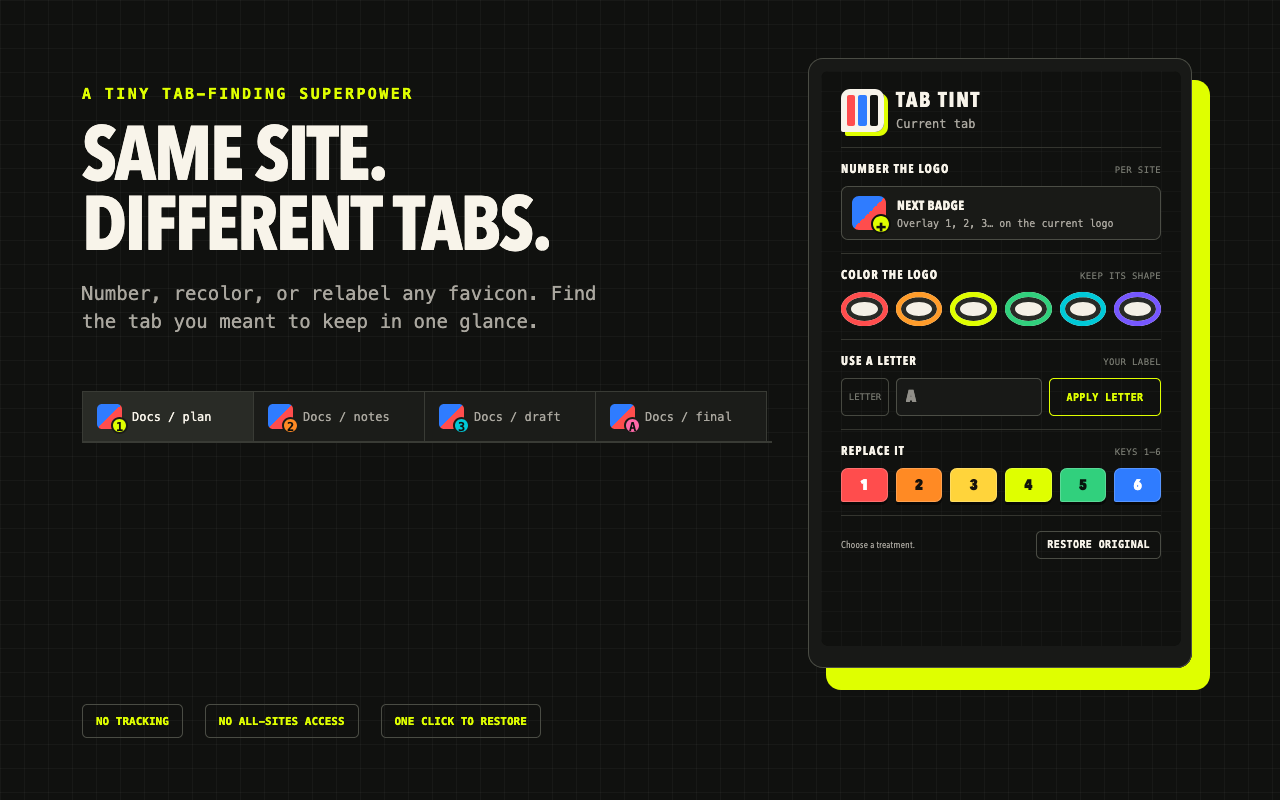
Number, recolor, or relabel any favicon. Find the tab you meant to keep in one glance.
Chrome · Edge · Brave · Arc · Vivaldi · Firefox
WORKSPACE / RESEARCH
NO TRACKINGNothing leaves your browser.
NO ALL-SITES ACCESSOnly the tab you click.
ONE CLICK TO RESTOREYour original favicon returns.
02 // MARK THE TAB, NOT THE WHOLE BROWSER
Tab Tint works only when you ask it to. Pick a treatment, recognize the tab instantly, and restore the original whenever you are done.
Open the compact toolbar panel on the tab you want to mark.
Add the next number, a color frame, a custom letter, or a solid marker.
The favicon changes in place. Reloading, navigating, or restoring removes it.
03 // PICK YOUR BROWSER
The Chrome Web Store build works across Chromium browsers. A signed Firefox Add-ons release is coming soon.
RECOMMENDED
One-click install from the official Chrome Web Store listing.
Install for ChromeMICROSOFT EDGE
Enable “Allow extensions from other stores,” then use the same listing.
Install for EdgeBRAVE · ARC · VIVALDI
These browsers install directly from the Chrome Web Store too.
Open the listingFIREFOX ADD-ONS
The signed Firefox release is being prepared for the official add-ons store.
Download and extract the package, open your browser’s extensions page, enable Developer mode, then choose “Load unpacked.”
Download Chromium package (ZIP)04 // DELIBERATELY SMALL PERMISSIONS
activeTabTemporary access after you click the extension.
scriptingChanges favicon links in that one active page.
storageRemembers the next badge number locally.
Read the privacy policy
READY WHEN THE TAB STRIP ISN’T